← Sewing glossary

Machine class

Computerized Sewing Machine

A sewing machine that uses electronic controls and a processor to select, configure, or automate stitch functions.

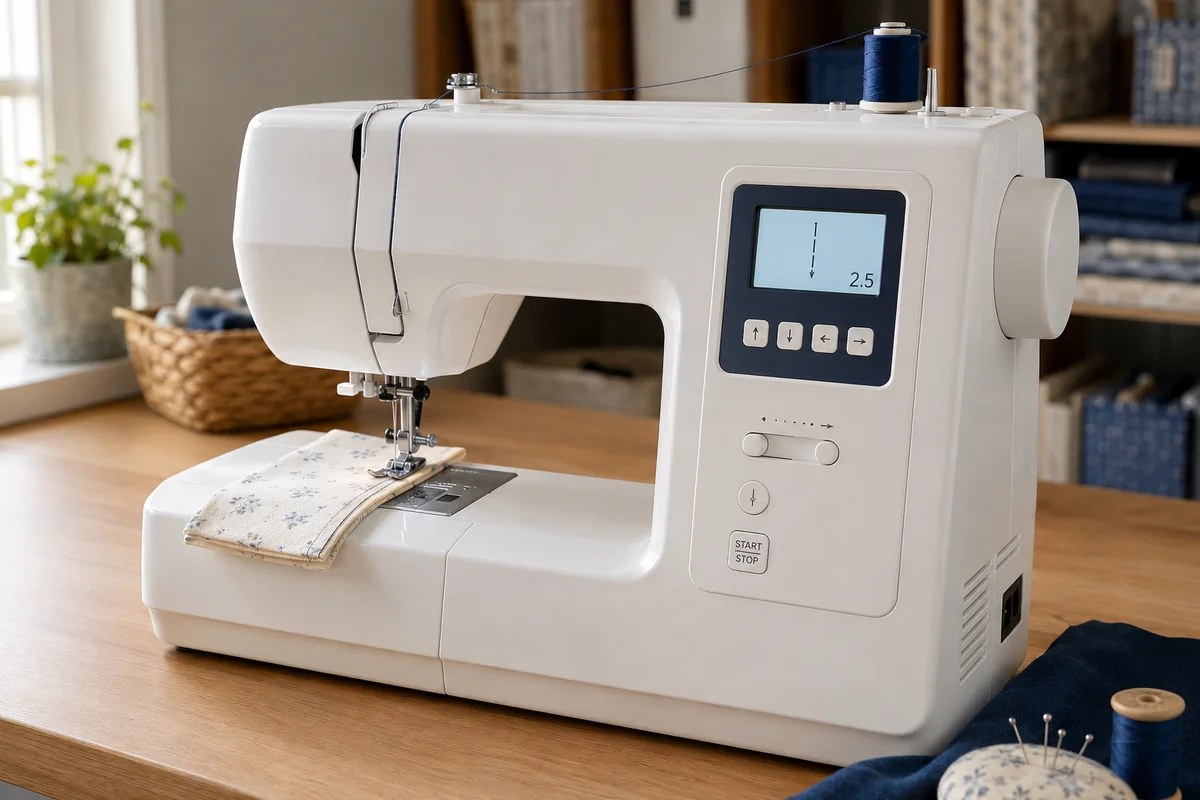
A modern white computerized sewing machine with an LCD stitch display, selection buttons, speed slider and threaded needle
A modern computerized domestic sewing machine. The electronic panel displays the selected stitch and setting while nearby buttons control functions such as speed, needle position and start or stop. Available controls vary considerably between models.
01

What the computer controls

Depending on the model, it may set stitch length and width, restrict unsafe combinations, memorise sequences, position the needle, regulate speed, or complete buttonholes automatically.

02

Where automation helps

Direct stitch selection, speed limiting, needle up or down, start-stop sewing, locking stitches, alerts, and automatic cutting can reduce repetitive setup and improve consistency.

03

What still requires judgement

The machine cannot choose every suitable needle, stabiliser, seam finish, pressure setting, or handling method. Mechanical quality, feed performance, service access, and clear controls remain important.

Useful distinction

More stitches are not automatically more capability

A large stitch library is easy to advertise. Smooth feeding, useful controls, adequate power, compatible accessories, and repair support usually matter more in everyday sewing.

Practical guide

Evaluate useful control, service life, and workflow together

Computerized machines range from simple electronic stitch selection to large programmable systems. The screen is only one part of the decision; interface clarity, motor control, included functions, update policy, and local support affect long-term value.

Separate core sewing from convenience features

Useful automation can include speed limiting, needle stop position, tie-off, automatic buttonholes, thread cutting, presser-foot control, and stitch memory. List the functions used in real projects and test how many button presses they require rather than comparing stitch counts alone.

Check what happens when settings change

A good interface shows the chosen stitch, recommended foot, width and length limits, and warnings for incompatible settings. Confirm whether changes persist after power-off and whether the machine prevents a needle strike when a narrow foot or plate mode is selected.

Consider repair and ownership

Ask about warranty coverage, authorised service, replacement boards, displays, controllers, and software support. Electronics can provide precise control, but diagnosis may require model-specific equipment. Stable local support can matter more than an unusually long feature list.

Test the machine as a sewing tool

Bring representative fabric layers and try slow starts, curves, reverse, buttonholes, thick crossings, bobbin access, lighting, and screen visibility. Listen for motor control at low speed and confirm that essential functions remain understandable without repeated manual searches.

Avoidable mistakes

Buying signals that look impressive but reveal little

  • A large stitch count may consist mainly of decorative variations never used.
  • A touch screen does not guarantee simpler navigation.
  • Built-in tutorials do not replace accessible service and parts.
  • Choosing by embroidery-like graphics can overlook feeding, buttonhole quality, and low-speed control.

Common questions

Computerized Sewing Machine FAQs

Will a computerized machine sew if the screen fails?

Some functions may become unavailable or the machine may not operate normally. Diagnosis and parts are model-specific, so electronic service access matters.

Is it harder for a beginner to use?

Not necessarily. Direct selection and safety limits can simplify setup, although crowded menus and unfamiliar symbols vary by model.

Does computerized mean embroidery capable?

No. Many computerized machines only sew utility and decorative stitches; embroidery requires dedicated movement, hoops, and compatible design controls.

Can it be used without a foot controller?

Some models include a start-stop button for pedal-free sewing, while others require the controller. Check the manual and regional configuration.