
The main question is not whether computerized machines are more advanced. They usually are. The useful question is whether those controls solve problems that matter in your sewing.
This guide explains how computerized machines work, where they genuinely help, where they add complexity, and how to decide between computerized and mechanical operation without relying on product recommendations.
What makes a sewing machine computerized?
A computerized sewing machine contains an electronic control system that interprets the settings selected by the user and sends instructions to the machine's motor, needle-positioning system, feed controls, stitch-forming mechanism, and other supported functions.
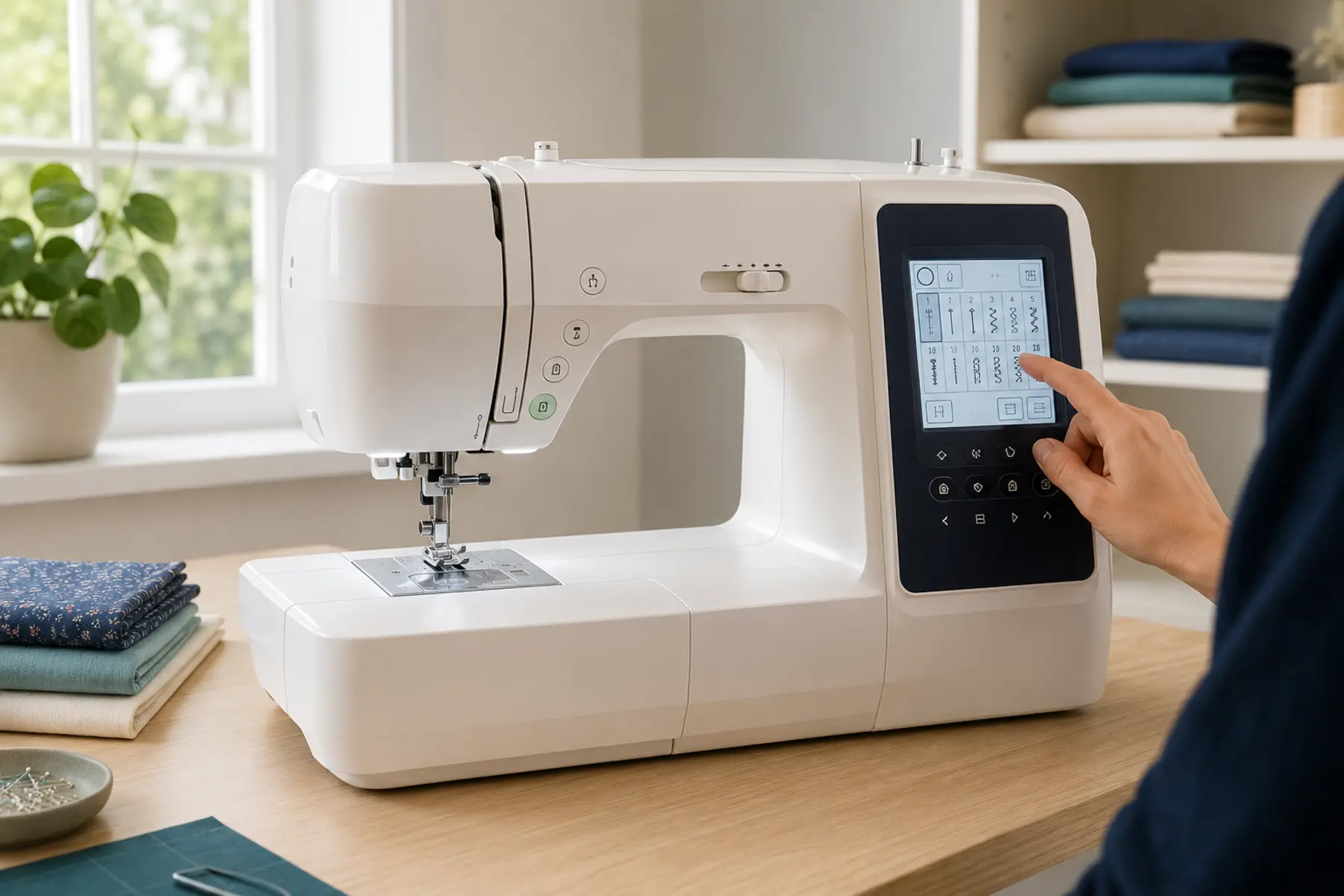
Instead of relying only on mechanical dials and levers, the machine may use push buttons, a small LCD, a touchscreen, menu keys, or a combination of controls. The screen may show the selected stitch, recommended presser foot, stitch length, stitch width, needle position, error messages, and available adjustments.
How a computerized sewing machine works in practice
When you choose a stitch, the control system loads a programmed movement pattern. That pattern may determine how far the needle swings from side to side, how the feed system moves the fabric, the default stitch length, the default stitch width, and whether reinforcement is added at the beginning or end.
On many machines, the selected stitch opens with factory-recommended settings. You can then adjust the permitted range. This helps prevent impossible combinations, such as selecting a needle position that would strike the fitted presser foot or stitch plate.
Sensors may monitor the presser foot, buttonhole lever, bobbin level, thread path, needle position, or machine cover. The exact sensors vary widely, so the manual for the specific model remains the final reference.
Common computerized controls and what they actually do
Digital stitch selection
You choose a stitch by number, icon, category, or touchscreen menu. The machine then applies a programmed movement pattern instead of requiring several manual dial changes.
Automatic stitch length and width
The machine usually loads a recommended starting setting for the selected stitch. You can often shorten, lengthen, narrow, or widen it within a safe range. This is useful, but the default is still only a starting point. Fabric and thread can require adjustment.
Needle-up and needle-down positioning
This control determines whether the needle stops above the fabric or remains inserted when sewing stops. Needle-down is useful for corners, curves, appliqué, and controlled repositioning. Needle-up is useful when removing fabric or changing direction without pivoting.
Speed control
A speed slider or electronic limiter caps the machine's maximum speed even when the foot pedal is fully pressed. This can make learning easier and improve control during buttonholes, curves, topstitching, and detailed work.
Start and stop button
Some machines can sew without the foot pedal. The start and stop button controls the motor while the speed limiter sets the maximum pace. This may help users with limited foot mobility, though pedal control can still feel more intuitive for variable speed.
Automatic reinforcement
The machine may sew locking stitches or a programmed reverse sequence when a reinforcement button is pressed. This is more consistent than manually holding reverse for an uncertain distance, but it is not suitable for every seam or fabric.
Automatic thread cutting
Supported models can cut the upper and bobbin threads after sewing. This saves time during repeated work, but it adds a cutter mechanism that needs correct threading and occasional cleaning.
Automatic buttonholes
Many computerized machines sew one-step buttonholes using a dedicated foot and sensor or lever. The machine controls the side columns and bartacks. Good stabilisation, correct sizing, and a test sample are still essential. See the full buttonhole sewing guide for the construction process.
Stitch memory and sequencing
Some machines save altered settings or combine decorative stitches, letters, and motifs into a sequence. This is useful for repeated work, but memory capacity and editing options vary considerably.
Computerized vs mechanical sewing machine
The better choice depends on what kind of control you value. Computerized machines usually offer more automation and repeatability. Mechanical machines usually offer simpler direct controls and fewer electronic systems.
Real advantages of a computerized sewing machine
More control at low speed
The electronic speed limiter can make the machine less intimidating for a beginner and more controlled for detailed work. It also reduces the chance of accidentally accelerating through a difficult section.
Repeatable settings
Once a useful stitch configuration is found, the machine may retain it during the session or save it for later. This is helpful for repeated hems, decorative work, quilting lines, and garment construction where consistency matters.
Useful prompts and restrictions
Presser-foot suggestions, stitch previews, width limits, and warning messages can prevent avoidable errors. They do not replace knowledge, but they reduce guesswork.
Convenience during repetitive sewing
Automatic reinforcement, cutting, buttonholes, and programmable needle position can remove small repetitive actions. The time saving becomes more noticeable when sewing many similar pieces.
Broader creative range
A computerized machine can provide more utility stitches, decorative patterns, alphabets, mirror imaging, elongation, and stitch combinations than a basic mechanical machine.
Limitations and trade-offs
More features can make the interface slower to learn
A machine with many menus may feel less obvious than one with a few clearly labelled dials. Users who dislike digital controls may find the added options distracting rather than helpful.
Electronic faults can be expensive
A failed display, sensor, control board, or stepper motor can cost more to diagnose and replace than a basic mechanical fault. Repairability depends heavily on brand support, model age, and parts availability.
Automatic settings are not always correct for the fabric
The machine cannot fully assess fabric stretch, thickness, surface texture, stabilisation, or thread behaviour. You still need to test and adjust settings. Use the fabric sewing guide and needle guide when the material requires special handling.
Feature count can distract from build quality
A long stitch list does not prove the machine feeds fabric evenly, handles layers well, or has good internal construction. Useful control should matter more than a large number printed on the box.
Power quality matters
Voltage fluctuations, moisture, dust, and poor storage can affect electronics. Follow the manual, use the correct power supply, and unplug the machine during storms or unstable electrical conditions.
Are computerized sewing machines good for beginners?
They can be excellent for beginners when the interface is clear and the machine includes genuinely useful controls. A speed limiter, needle-down function, simple stitch menu, one-step buttonhole, and clear error messages can reduce frustration.
However, a beginner does not need hundreds of stitches. Too many menus can make basic sewing feel complicated. A smaller, well-organised computerized model may be easier to learn than a feature-heavy one.
Poor beginner fit: the user wants the simplest possible interface and becomes frustrated by menus, error codes, or electronic lockouts.
Before choosing a machine type, learn the essential controls covered in the sewing machine parts guide and the first-use guide.
Who should choose a computerized sewing machine?
You want a speed limiter for controlled sewing
You regularly use different stitches and settings
You value automatic buttonholes and programmable needle position
You sew repeated projects where consistency saves time
You enjoy decorative stitching, quilting, garment details, or stitch sequencing
You are comfortable learning a digital interface
You have access to qualified service for the brand
Who may prefer a mechanical sewing machine?
You mainly use straight stitch, zigzag, and basic buttonholes
You prefer physical dials that show their setting immediately
You want fewer electronic components
You expect to store the machine for long periods or use it in unstable electrical conditions
You prioritise simplicity over automation
You have limited local access to electronic sewing-machine repair
A mechanical machine is not automatically stronger, more durable, or better for heavy fabric. Those qualities depend on the machine's construction, motor, feed system, presser-foot lift, needle system, and intended workload.
How to decide which type suits you
Use your actual projects rather than feature count. Write down the stitches and controls you expect to use every month. Then separate essential functions from occasional extras.
What to check before choosing a computerized machine
The essential stitches are easy to find without navigating several menus
Stitch length and width can be adjusted clearly
The screen is readable from your normal sewing position
The speed limiter has a useful range
Needle-up and needle-down can be selected independently
The buttonhole system suits the type of garments you sew
Presser feet and replacement bobbins are readily available
The manual explains error messages and cleaning procedures
Authorised service and electronic parts support exist in your region
The machine can handle your actual fabric layers, not only demonstrate decorative stitches
Once those requirements are clear, you can compare computerized sewing machines on Amazon by the controls you will use, rather than sorting by stitch count alone.
Maintenance and repair differences
Routine care still includes removing lint, changing needles, using the correct bobbin, keeping the machine covered, and following the manual's lubrication instructions. Do not assume a computerized machine should be oiled in the same places as an older mechanical model.
Error codes are useful only when interpreted correctly. A safety message may indicate a raised presser foot, engaged bobbin winder, lowered buttonhole lever, jammed thread, or incompatible control setting. Repeated faults after the recommended reset should be assessed by a technician.
Technical references and model checks
Electronic functions differ between models in the same range. Confirm a claimed feature in the manual instead of assuming that a screen implies automatic tension or cutting.
Frequently Asked Questions
Computerized sewing machine questions
Is a computerized sewing machine better than a mechanical machine?
Not automatically. A computerized machine is usually better for users who value programmable controls, repeatable settings, speed limiting, automatic buttonholes, and stitch variety. A mechanical machine may be better for someone who prefers direct controls, simpler operation, and fewer electronic components.
Are computerized sewing machines good for beginners?
They can be. Features such as speed control, needle-up or needle-down, automatic stitch settings, and safety lockouts can reduce common beginner errors. The best choice depends on whether the user is comfortable learning buttons, menus, and on-screen prompts.
Can a computerized sewing machine sew without a foot pedal?
Many models include a start and stop button that allows pedal-free sewing, but not all machines do. Check the exact model specifications and manual because this feature varies.
Do computerized sewing machines need more maintenance?
Routine cleaning is similar to other domestic machines, but electronic faults, sensors, displays, or control boards require qualified diagnosis. Owners should avoid opening electronic sections or applying oil where the manual does not permit it.
What happens if the computer in a sewing machine fails?
The machine may lose access to controls, stitch selection, or motor functions. Some faults are minor sensor or connection issues, while others require board-level repair or replacement. Availability and cost of parts vary by brand and model.
How long does a computerized sewing machine last?
Service life depends on build quality, workload, maintenance, storage, electrical conditions, and parts availability. A well-maintained computerized machine can last many years, but electronics can make long-term repairability more model-dependent than with a basic mechanical machine.
Choose the control system that supports how you sew
A computerized sewing machine is most useful when its automation improves control, accuracy, or repeatability in tasks you actually perform. A mechanical machine is often the better choice when simplicity, direct controls, and easier long-term service matter more than extra functions.
Do not choose by stitch count alone. Compare the interface, essential controls, fabric handling, service support, and the projects you expect to sew.