
Affiliate disclosure: This page contains Amazon affiliate links. If you buy through them, we may earn a commission at no extra cost to you. Product placement is based on project fit and workflow, not commission or rating count. Availability and bundles can change.
How we narrowed Brother’s range
This is a research-based comparison of current Brother specifications and intended workflows. We did not rank machines by the number of built-in designs, and we do not claim hands-on testing where it did not occur. Instead, each model had to answer a different buying question without duplicating another pick.
We prioritized maximum embroidery field, flatbed versus free-arm construction, sewing capability, design-transfer options, trimming features, workspace, and the type of project each machine can accept comfortably. Specifications were checked against Brother product information on July 22, 2026. Before buying, confirm the exact model, included hoop, seller, warranty coverage, and return terms on the current listing.
Brother embroidery machines compared
Showing three products at a time. Scroll down inside the table to see the remaining models ↓
| Product image | Machine and best fit | Type | Current price |
|---|---|---|---|
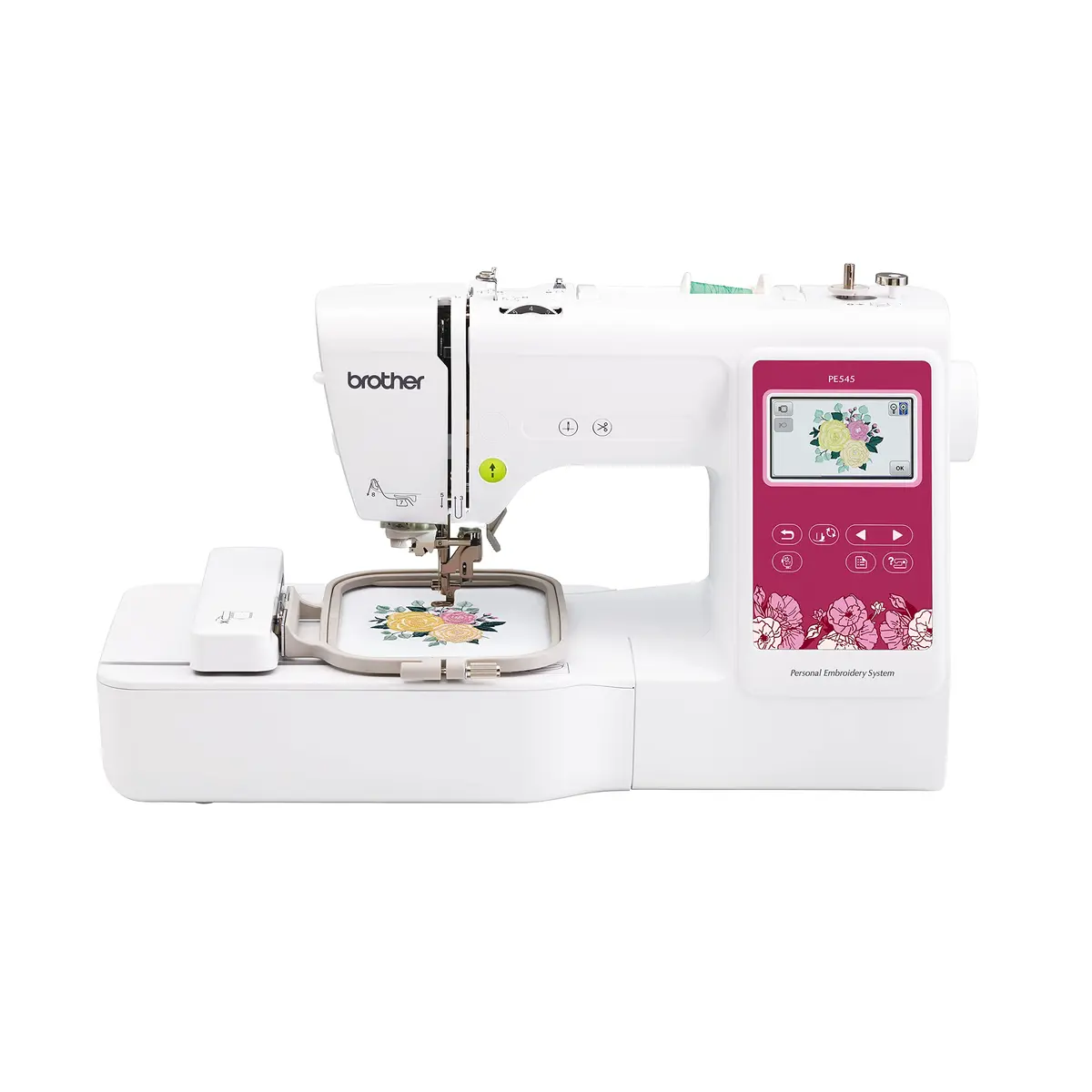 | Brother PE545 Small monograms, labels, patches, and first embroidery projects | Embroidery only | Check price |
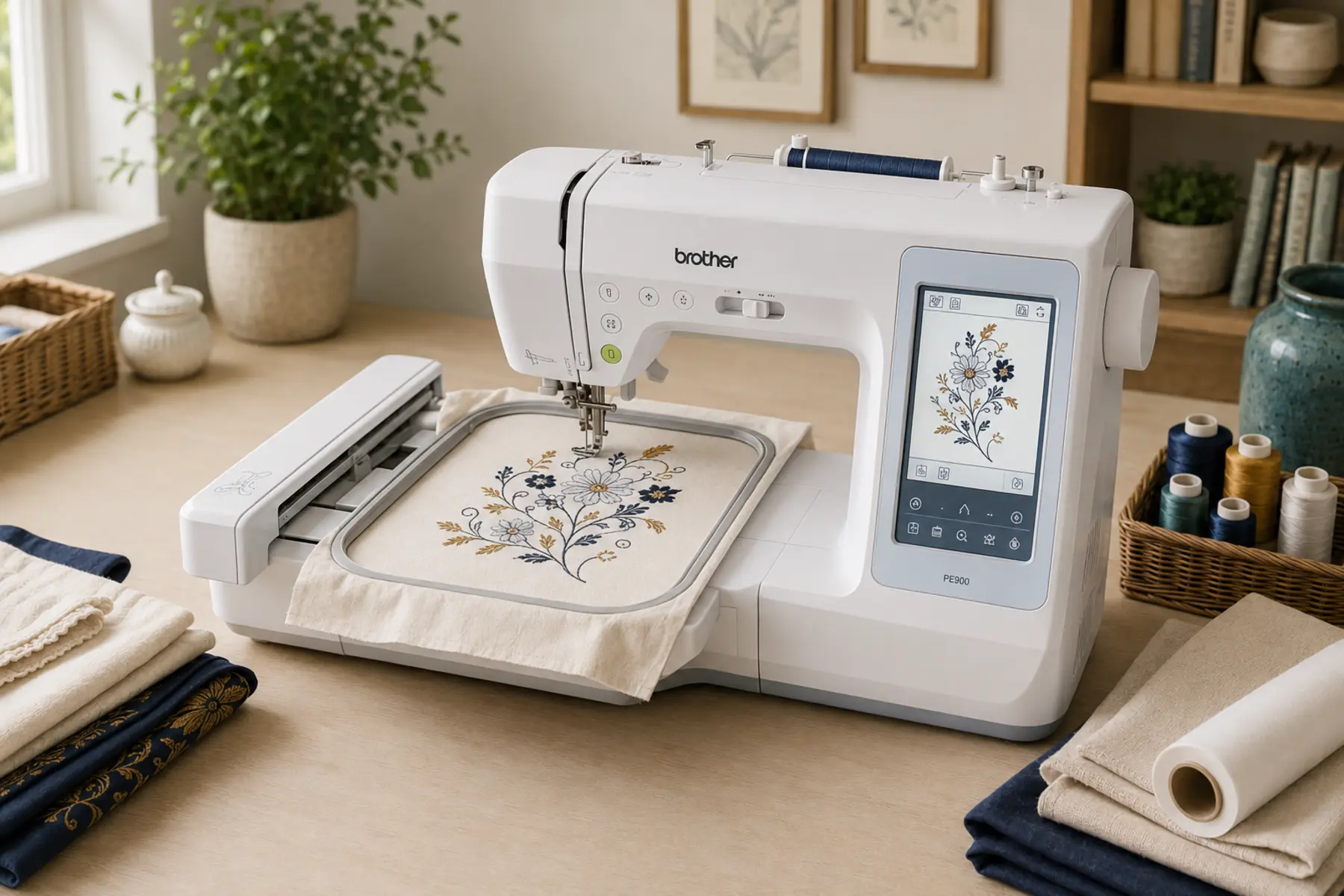
| Product image | Brother PE900 Regular personalization, gifts, home décor, and 5 × 7 designs | Embroidery only | Check price |
| Product image | Brother NQ1700E Larger motifs, fewer rehoops, and a more spacious single-needle workflow | Embroidery only | Check price |
| Product image | Brother Persona PRS100 Pockets, sleeves, bags, small garments, and occasional caps | Single-needle free-arm embroidery | Check price |
| Product image | Brother Entrepreneur PR680W Repeat multicolor garments, larger designs, and higher-volume custom orders | Six-needle free-arm embroidery | Check price |
Hoop size is not a small specification difference. A machine cannot stitch a design larger than its supported field in one hooping, even if a larger physical hoop is attached.
The best Brother embroidery machines by use
There is no useful one-to-five ranking here. A PE545 is a better purchase than a PR680W for someone making occasional 3-inch monograms, while the PR680W solves multicolor production and tubular-item problems that the PE545 cannot.
Brother PE545
Best compact embroidery-only machine
Why Brother PE545 makes the shortlist
It keeps the footprint and initial commitment modest while still providing a color screen, automatic thread cutting, wireless design transfer, and a standard 4 × 4 hoop.
Best for: Small monograms, labels, patches, and first embroidery projects
Main limitation: The 4 × 4 field is a firm creative limit. Larger lettering, jacket backs, wide appliqué, and many multi-part designs require rehooping or a different machine.
Skip it if: You already expect to use 5 × 7 or larger purchased designs.
View on AmazonBrother PE900
Best Brother embroidery-only machine for most home users
Why Brother PE900 makes the shortlist
The 5 × 7 field is a meaningful step up from 4 × 4 without moving into a large dealer-class machine. Color Sort and jump-stitch trimming also reduce some repetitive cleanup in multicolor designs.
Best for: Regular personalization, gifts, home décor, and 5 × 7 designs
Main limitation: It cannot sew construction seams. Anyone with limited room who also needs a sewing machine may get better value from a combination model.
Skip it if: Your regular designs exceed 5 × 7 or your main goal is tubular items such as caps and finished sleeves.
View on AmazonBrother NQ1700E
Best larger-field embroidery-only option
Why Brother NQ1700E makes the shortlist
Its 6 × 10 field, larger screen, faster stitching, and automatic trimming make it better suited to people who have outgrown compact hoops but do not need a free-arm or multi-needle commercial setup.
Best for: Larger motifs, fewer rehoops, and a more spacious single-needle workflow
Main limitation: It costs substantially more and needs more permanent work space. The included bundle can vary by seller, so the machine, hoops, software, and warranty need to be checked separately.
Skip it if: You mainly make 4 × 4 monograms or only embroider occasionally.
View on AmazonBrother Persona PRS100
Best compact free-arm option for a small business
Why Brother Persona PRS100 makes the shortlist
Its tubular free arm reaches finished items that are awkward on a flatbed, while the compact frames help with socks, children’s garments, headbands, and other small products. The 8 × 8 field and 1,000-spm speed suit a focused personalization workflow.
Best for: Pockets, sleeves, bags, small garments, and occasional caps
Main limitation: It remains a single-needle machine, so every thread-color change is manual. Cap work requires the correct frame and careful placement, and the Amazon bundle and warranty seller must be checked.
Skip it if: You mainly embroider flat fabric or need automatic multicolor production.
View on AmazonBrother Entrepreneur PR680W
Best six-needle option for a growing embroidery business
Why Brother Entrepreneur PR680W makes the shortlist
Six needles reduce manual color changes, while the 8 × 12 field, tubular arm, wireless workflow, crosshair positioning, and fast acceleration address repeat commercial work more directly than a home flatbed or single-needle free-arm machine.
Best for: Repeat multicolor garments, larger designs, and higher-volume custom orders
Main limitation: It is a major financial and space commitment. Amazon availability is commonly through a bundle, so the included stand, cap frame, seller, warranty, setup, and service support must be confirmed before purchase.
Skip it if: You are learning embroidery, working at hobby volume, or do not yet have repeat multicolor orders.
View on AmazonHow to choose the right Brother embroidery machine
Choose the embroidery field before the design count
Built-in designs are convenient, but hoop size controls what the machine can produce in one run. A 4 × 4 field is useful for names, small motifs, patches, and labels. A 5 × 7 field accommodates a much wider range of purchased files and medium appliqué. Moving to 6 × 10 or 8 × 12 reduces rehooping on larger designs, but it also increases machine size and cost.
Look at ten designs you realistically want to make and note their stitch-file dimensions. That simple exercise is more informative than comparing marketing libraries.
Decide whether embroidery should have its own machine
A dedicated embroidery machine lets you keep a separate sewing machine threaded and available. This is useful when projects alternate between construction and decoration or when two people share a sewing room. A combination machine saves physical space and can cost less than two capable machines, but it performs one function at a time and needs conversion between modes.
Flatbed and free-arm machines handle products differently
Flatbed embroidery machines work well when fabric can be laid around the hoop. Finished sleeves, small bags, socks, and structured caps are more difficult because extra fabric must be kept away from the needle path. A tubular free arm allows the item to wrap around the machine bed, which is why it matters for repeat custom-product work.
Wireless transfer is convenient, not a substitute for digitizing
Wireless LAN can move a compatible embroidery file to the machine, but it does not turn every photo or logo into a clean stitch file. Good digitizing still requires decisions about stitch type, density, underlay, pull compensation, sequence, and fabric. Budget for software or a digitizing service if custom logos are part of the plan.
Single needle versus multi-needle
The PE545, PE900, NQ1700E, and PRS100 are single-needle machines, so the operator changes thread for each color. The PR680W holds six thread colors and reduces intervention on repeat multicolor work, but it is a much larger investment. A larger hoop or faster single-needle motor does not automate color changes.
Budget for more than the machine
The machine is only the first line in an embroidery budget. Actual startup cost depends on the fabrics and products you plan to use. Avoid buying a large generic bundle before you know which stabilizers, needles, hoops, and threads suit those projects.
- Stabilizer: tear-away, cut-away, wash-away, and topping serve different fabrics and stitch densities.
- Embroidery thread: start with colors you will use instead of paying for a large decorative assortment.
- Bobbin thread and bobbins: confirm the required weight and bobbin class in the machine manual.
- Needles: match the point and size to the fabric, thread, and design density.
- Hoops or frames: verify exact model compatibility. A hoop’s physical size does not expand the machine’s maximum stitch field.
- Digitizing: custom logos may require paid software, training, or a professional digitizing service.
- Workspace: leave room for the embroidery carriage to travel without striking a wall, shelf, or stored supplies.
Our practical verdict
For a typical home embroiderer who already owns a sewing machine, the Brother PE900 offers the most useful balance in this group. Its 5 × 7 field avoids many of the frustrations of a 4 × 4 machine without forcing a move into a much larger and more expensive platform.
The PE545 remains the sensible lower-commitment choice when the planned work is genuinely small. The NQ1700E is the step-up choice for people who can name the larger projects that justify 6 × 10. Choose the PRS100 when a compact tubular free arm solves access problems on finished items. Consider the PR680W only when six needles, an 8 × 12 field, and reduced operator intervention solve a real production problem.
Frequently asked questions
Which Brother embroidery machine is best for most home users?
The PE900 is the most balanced embroidery-only choice in this shortlist because its 5 × 7 field is more flexible than 4 × 4 without the price and space demands of a larger dealer-class machine. The right choice still depends on the size of designs you actually plan to stitch.
Is a 4 × 4 embroidery area too small?
Not for small monograms, labels, patches, children’s motifs, and many simple designs. It becomes restrictive when you want wide lettering, large appliqué, jacket backs, or designs sold specifically for 5 × 7 and larger hoops.
Should I choose the PRS100 or PR680W?
Choose the PRS100 when you need a compact tubular free arm but can manage thread-color changes manually. Choose the PR680W only when six needles, a larger 8 × 12 field, and reduced operator intervention justify its much higher cost and larger footprint.
Can a Brother home embroidery machine embroider hats?
A flatbed machine can embroider some unstructured caps by flattening and carefully hooping the usable area, but it is not equivalent to a tubular cap workflow. Structured caps are better matched to a free-arm machine with a compatible cap frame, such as a properly configured PRS100 or PR680W setup.
Do Brother embroidery machines digitize logos automatically?
No. Importing an image is not the same as creating a stitch-ready embroidery file. Logos normally need digitizing in compatible software or by a digitizing service, with stitch type, density, underlay, sequence, and fabric considered.